Content Menu
● Understanding the Purpose of a Business Card
● Essential Elements of a Business Card
>> Logo and Branding
>> Contact Information
>> Design and Layout
>> Typography
>> Material and Finish
>> Shape and Size
>> Call to Action
● Design Tips for an Effective Business Card
>> Target Your Audience
>> Keep It Simple
>> Ensure Readability
>> Maximize Your Logo
>> Use the Back of the Card
>> Add Something Special
>> Consider a Dual Purpose
>> Ask for Feedback
>> Understand Design Principles
>> Maintain Brand Consistency
● Software and Tools for Business Card Design
● Printing Your Business Cards
● Conclusion
● Frequently Asked Questions
>> 1. What is the ideal size and shape for a business card?
>> 2. What information should I always include on my business card?
>> 3. How important is the choice of font on a business card?
>> 4. Should I use both sides of my business card?
>> 5. How can I make my business card stand out without being too flashy?
● Citations:
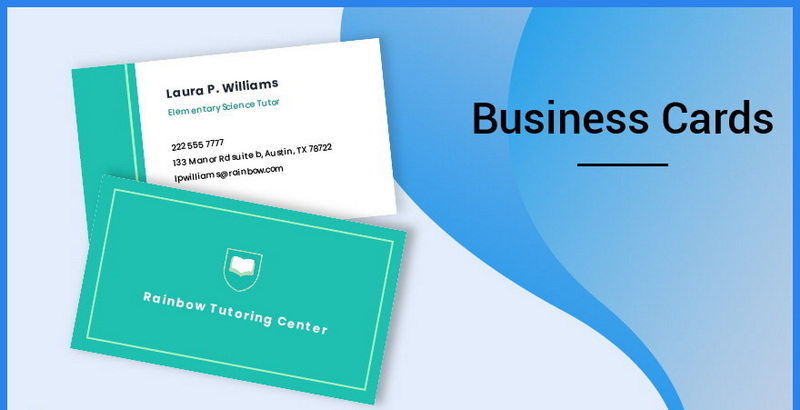
A business card is more than just a piece of paper; it's a tangible representation of your brand, a conversation starter, and a portable marketing tool[1]. In today's digital age, while networking often happens online, a well-designed business card can still make a significant impact. It provides a personal touch that digital interactions sometimes lack and serves as a physical reminder of your meeting. This article delves into the essential elements of creating a business card that not only looks professional but also effectively communicates your brand and leaves a lasting impression.
Understanding the Purpose of a Business Card
Before diving into design elements, it's crucial to understand the core purpose of a business card. Primarily, it serves to provide your contact information to potential clients, partners, or customers[1]. However, it also plays a vital role in:
- Brand Identity: Reinforcing your brand's image and values[1].
- Networking: Facilitating connections and follow-ups[1].
- Marketing: Acting as a mini-advertisement for your business[1].
Considering these purposes will guide your design choices and ensure your business card effectively represents you and your company.
Essential Elements of a Business Card
Logo and Branding
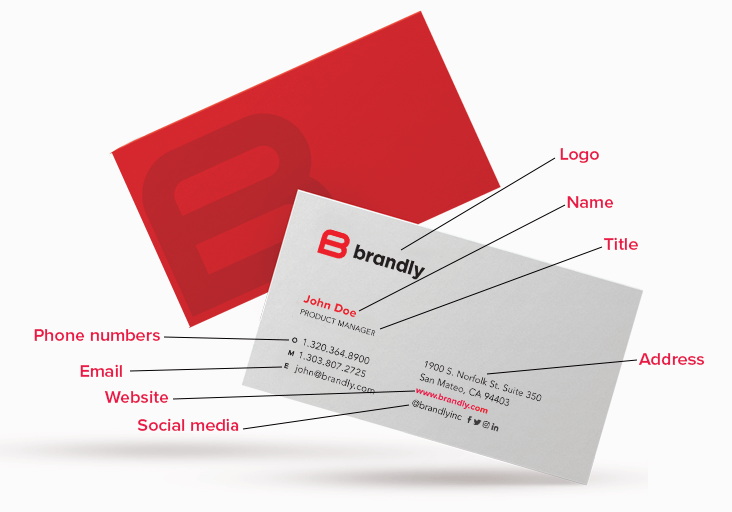
Your logo is a visual representation of your business, and it should prominently feature on your business card[1][4]. It helps in creating brand recognition and reinforces your company's identity. Consider these tips:
- Placement: Position your logo in a prominent location where it immediately catches the eye[1].
- Size: Ensure the logo is visible but doesn't overshadow other essential information[4].
- Consistency: Use the same logo as on your website and other marketing materials to maintain brand consistency[1].
Contact Information
The primary function of a business card is to provide contact details[1]. Include the following:
- Name: Your full name, clearly and legibly displayed[2].
- Job Title: Your position within the company, providing context to your role[2].
- Company Name: The name of your business, reinforcing brand recognition[2].
- Phone Number: A direct line or mobile number for easy contact[2].
- Email Address: A professional email address, preferably using your company domain[1].
- Website: Your company's website URL, allowing recipients to learn more about your business[1].
- Social Media Handles: If relevant to your business, include handles for platforms like LinkedIn, Twitter, or Instagram[1].
- Address: If you operate a physical store or office, include your business address[1].
Design and Layout
The design and layout of your business card significantly impact its overall appeal and readability.
- White Space: Don't overcrowd your card. Leaving white space makes the card easier to read and highlights key information[1].
- Visual Hierarchy: Organize information logically, with the most important details being the most prominent[1].
- Color Scheme: Use your brand's color palette to reinforce brand recognition. Ensure the colors complement each other and don't make the card difficult to read[4].
- Imagery: Use high-quality images or graphics if they align with your brand and enhance the card's visual appeal.
Typography
Choosing the right typeface is crucial for readability and conveying your brand's personality[1].
- Font Choice: Select fonts that are easy to read. Common choices include Arial, Helvetica, Times New Roman, and other simple, clean fonts[2][4].
- Font Size: Ensure the font size is large enough to be easily read, with a minimum of 8pt, but preferably larger for key information like your name and company name[1].
- Font Styles: Use different font styles (e.g., bold, italics) sparingly to emphasize important information[1].
- Consistency: Use the same fonts as your website and other marketing materials to maintain brand consistency[1].
Material and Finish
The material and finish of your business card can add a touch of sophistication and uniqueness.
- Paper Stock: Choose a high-quality paper stock that feels substantial and durable[1]. Options include matte, glossy, and textured finishes.
- Special Finishes: Consider special finishes like foil accents, embossing, or die-cut edges to make your card stand out[1][2].
- Eco-Friendly Options: If sustainability is important to your brand, opt for recycled or eco-friendly paper[1].
Shape and Size
While most business cards are rectangular and the size of a credit card, consider other options to make yours stand out[1].
- Standard Size: The standard size is 3.5 x 2 inches, which fits easily into wallets and cardholders[1].
- Alternative Shapes: Square, rounded corners, or vertical orientations can make your card more memorable[1].
- Unique Sizes: Be mindful of practicality; unusual sizes may not fit standard cardholders.
Call to Action
Including a call to action (CTA) can encourage recipients to take the next step, whether it's visiting your website, calling you, or following you on social media[1][2].
- Incentives: Offer a discount code, a free consultation, or a valuable tip[1][4].
- QR Codes: Add a QR code that links to your website, a special offer, or your contact information[1][2][4].
- Clear Instructions: Make your CTA clear and concise, telling recipients exactly what you want them to do[1].
Design Tips for an Effective Business Card
Target Your Audience
Consider your target audience and industry when designing your business card[2]. A creative design might work well for a graphic designer but might not be suitable for a lawyer.
Keep It Simple
Avoid cluttering your card with too much information or too many design elements[1]. A clean, simple design is often more effective.
Ensure Readability
Make sure all text is easy to read[2]. Choose legible fonts and ensure there is enough contrast between the text and background colors.
Maximize Your Logo
Dedicate a prominent space to your logo, as it's a visual representation of your business[1][4].
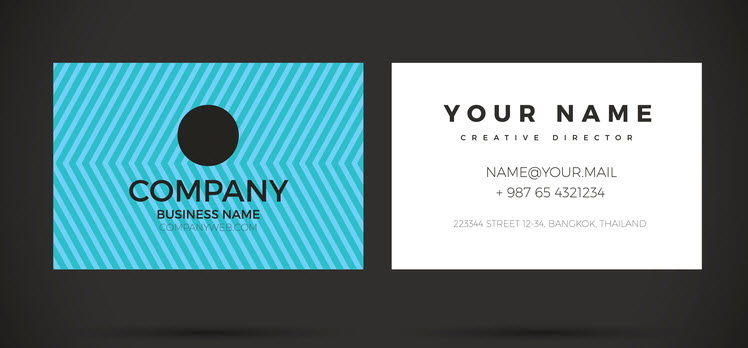
Use the Back of the Card
Don't waste the space on the back of the card[1]. Use it for appointment reminders, loyalty stamps, a QR code, or additional information about your brand.
Add Something Special
Consider adding a unique design element or special print treatment to make your card stand out[1].
Consider a Dual Purpose
Think about how your business card can serve a dual purpose, such as a mini-calendar, a magnet, or a tool[1][2].
Ask for Feedback
Before printing your cards, get feedback from trusted colleagues or friends[2].
Understand Design Principles
Keep in mind basic design principles, such as where the recipient's eyes may naturally go based on the card's layout[2].
Maintain Brand Consistency
Ensure your business card aligns with your overall brand identity, including colors, fonts, and tone of voice[1].
Software and Tools for Business Card Design
Numerous software and online tools can assist in designing your business card. Some popular options include:
- Adobe Photoshop: Offers advanced design capabilities and flexibility.
- Adobe Illustrator: Ideal for creating vector graphics and logos.
- Canva: A user-friendly online tool with pre-designed templates.
- VistaPrint: An online printing service with design tools and templates[1].
- 99designs: A platform for hiring professional designers[5].
Printing Your Business Cards
Once your design is finalized, choose a reputable printing service to produce your business cards. Consider factors such as:
- Print Quality: Ensure the printing service offers high-quality printing with accurate color reproduction.
- Paper Options: Check the available paper stocks and finishes.
- Pricing: Compare prices from different providers, but don't sacrifice quality for cost.
- Turnaround Time: Consider the printing service's turnaround time to ensure you receive your cards when you need them.
Conclusion
Creating a good business card involves careful consideration of various elements, from logo placement and contact information to design, typography, and material[1]. By understanding the purpose of a business card and following the design tips outlined in this article, you can create a card that not only provides essential contact details but also effectively represents your brand and leaves a lasting impression. Whether you choose to design your card yourself or hire a professional, remember that your business card is a reflection of your business and a valuable tool for networking and marketing.
Frequently Asked Questions
1. What is the ideal size and shape for a business card?
The standard size for a business card is 3.5 x 2 inches because it conveniently fits into wallets and cardholders[1]. While this rectangular shape is the most common, alternative shapes like square or rounded corners can make your card stand out[1]. However, it's crucial to ensure that any non-standard size remains practical and can still be easily stored by recipients.
2. What information should I always include on my business card?
At a minimum, your business card should include your full name, job title, company name, phone number, email address, and website URL[1][2]. Including social media handles and a physical address depends on the nature of your business and how you want potential contacts to reach you[1]. Ensure all information is accurate and up-to-date.
3. How important is the choice of font on a business card?
The choice of font is very important because it significantly impacts readability and conveys your brand's personality[1][4]. Select fonts that are easy to read, such as Arial or Helvetica[2][4]. Use a font size that ensures legibility, typically no smaller than 8pt, and maintain consistency with your brand's typography[1].
4. Should I use both sides of my business card?
Yes, using both sides of your business card is highly recommended to maximize the available space[1]. The front side can feature your logo and essential contact information, while the back side can be used for a call to action, a QR code, appointment reminders, or additional information about your brand[1][2]. This approach makes the card more functional and engaging.
5. How can I make my business card stand out without being too flashy?
To make your business card stand out, consider using special finishes like embossed gloss or foil accents, which add a touch of sophistication[1]. Unique paper stocks, such as extra-thick or recycled kraft paper, can also make a lasting impression[1]. A simple, clean design with a strong visual hierarchy and thoughtful use of white space can be very effective[1][2]. Adding a QR code or a useful call to action can also increase its appeal[1][2][4].
Citations:
[1] https://www.vistaprint.com/hub/business-card-design-rules
[2] https://www.indeed.com/career-advice/career-development/business-card-tips
[3] https://www.jiqizhixin.com/articles/2024-05-14-4
[4] https://blog.hubspot.com/sales/how-to-design-business-card
[5] https://99designs.com/designer-resource-center/designing-business-cards
[6] https://www.cambridgeinternational.org/Images/520575-june-2022-examiner-report.pdf
[7] https://www.reddit.com/r/startups/comments/7zqczc/a_few_tips_about_business_cards/
[8] https://www.reddit.com/r/graphic_design/comments/180ucuj/what_makes_you_keep_a_business_card/


