Content Menu
● Introduction
● What is an NFC Business Card?
>> The Technology Behind NFC
● Why Choose NFC Business Cards?
● How to Create Your Own NFC Business Card
>> Step 1: Purchase NFC Cards
>> Step 2: Create Your Digital Business Card
>> Step 3: Download an NFC Writer App
>> Step 4: Write Data to Your NFC Card
>> Step 5: Design Your Physical Card
>> Step 6: Print Your Card
>> Step 7: Test Your Card
● Additional Features
● Best Practices for Using Your NFC Business Card
>> Networking Events
>> Follow-Up Strategy
>> Keep It Updated
● The Future of Networking with NFC Technology
>> Integration with Other Technologies
>> Increased Adoption in Various Industries
● Conclusion
● Frequently Asked Questions (FAQs)
>> 1. What materials do I need to create an NFC business card?
>> 2. Can I update my information on my NFC business card?
>> 3. Do I need special skills to create an NFC business card?
>> 4. How much do NFC cards typically cost?
>> 5. What happens if someone's phone doesn't support NFC?
● Citations:
Introduction
In today's fast-paced digital world, traditional paper business cards are increasingly being replaced by innovative solutions that leverage technology. One such solution is the NFC (Near Field Communication) business card, which allows users to share their contact information quickly and easily by simply tapping their card against a smartphone. This article will guide you through the process of creating your own NFC business card, from selecting the right materials to programming your card and enhancing its functionality.
What is an NFC Business Card?
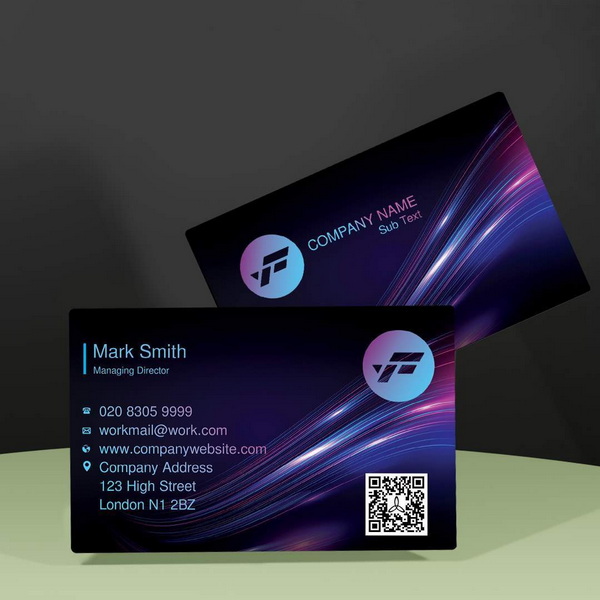
An NFC business card is a digital business card embedded with an NFC chip, allowing it to communicate wirelessly with compatible devices. When someone taps their NFC-enabled smartphone against your card, it can automatically share your contact details, social media profiles, or even a link to your portfolio or website. This method not only saves time but also reduces the need for physical cards, making it an environmentally friendly option.
The Technology Behind NFC
NFC technology operates on the principle of electromagnetic induction between two loop antennas when they are brought close together. This allows for the transfer of data over short distances—typically within a range of 4 centimeters. The technology is widely used in various applications, including mobile payments, ticketing systems, and now, business cards. Understanding how NFC works can help you appreciate its potential in networking and marketing.
Why Choose NFC Business Cards?
- Convenience: Sharing contact information becomes as simple as a tap.
- Customization: You can include various types of information, such as links to social media, videos, or images.
- Sustainability: Reduces paper waste associated with traditional business cards.
- Impression: Showcases a modern and tech-savvy image.
- Analytics: Some NFC services provide analytics on how often your card is accessed, helping you gauge networking effectiveness.
How to Create Your Own NFC Business Card
Creating an NFC business card involves several steps, including purchasing the right materials, designing your digital card, and programming the NFC chip. Below is a detailed guide on how to accomplish this.
Step 1: Purchase NFC Cards
The first step in creating your NFC business card is to acquire NFC cards. These can be found on platforms like Amazon or specialized websites. When selecting your cards, consider the following:
- Material: NFC cards are typically available in plastic or metal. Choose based on your preference and budget.
- Quantity: Many sellers offer packs of multiple cards, which can be more economical.
- Memory Capacity: Ensure the card has enough storage for your intended data.
Step 2: Create Your Digital Business Card
Once you have your NFC cards, the next step is to create a digital version of your business card. You can use various online platforms or apps for this purpose. Here's how:
1. Choose a Platform: Websites like QRCodeChimp or HiHello provide user-friendly interfaces for creating digital business cards.
2. Input Your Information: Include essential details such as your name, job title, company name, phone number, email address, and links to social media accounts.
3. Design Your Card: Customize the look of your digital card by adding logos, images, or background designs.
4. Save Your Card: Once you're satisfied with the design and information included, save your digital business card.
Step 3: Download an NFC Writer App
To program your NFC card with the digital information you created, you'll need an NFC writer app. Popular options include:
- NFC Tools
- NFC TagWriter by NXP
- HiHello App
Download one of these apps from the App Store or Google Play Store.
Step 4: Write Data to Your NFC Card
Now that you have your app ready and your digital business card created, it's time to write that information onto the NFC chip:
1. Open the App: Launch your chosen NFC writer app.
2. Select Write Option: Navigate to the "Write" section of the app.
3. Add Record: Choose "Add a record" and select "URL" if you're linking to your digital business card online.
4. Input URL: Paste the URL of your digital business card into the designated field.
5. Write to Card: Hold your NFC card against the back of your smartphone until you receive confirmation that the data has been written successfully.
Step 5: Design Your Physical Card
With the digital aspect completed, it's time to design the physical appearance of your NFC business card:
- Use design software like Adobe Illustrator or Canva to create an appealing layout.
- Ensure there's a designated spot for embedding or placing the NFC chip.
- Consider leaving one side unprinted or using transparent materials for visibility.
Step 6: Print Your Card
Once you're satisfied with your design:
1. Choose a Printing Service: Select a reliable printing service that can handle custom designs.
2. Print in Bulk: If you plan on distributing many cards, consider printing them in bulk for cost-effectiveness.
Step 7: Test Your Card
Before handing out your new NFC business cards:
1. Test them with various smartphones to ensure compatibility.
2. Verify that all links and information are accessible upon tapping.
Additional Features
To enhance your NFC business card experience further:
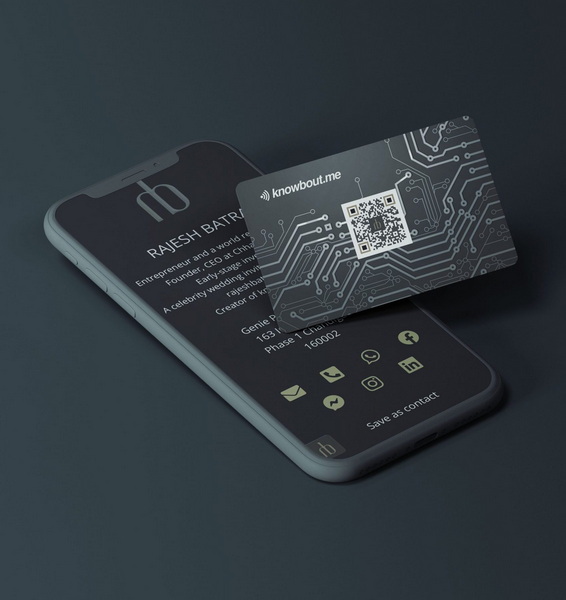
- Include a QR Code: Adding a QR code allows users without NFC capabilities to access your information easily.
- Update Information Remotely: Some services allow you to update the information linked to your NFC chip without needing to reprogram it physically.
- Add Multimedia Elements: Consider linking videos or presentations that showcase your work or services directly from the card.
Best Practices for Using Your NFC Business Card
Creating an effective NFC business card goes beyond just programming it; it's also about how you use it in networking situations.
Networking Events
At networking events or conferences:
1. Be Prepared: Always have several cards on hand for quick distribution.
2. Engage First: Start conversations before offering your card; this builds rapport and makes people more likely to remember you.
3. Demonstrate Usage: Show others how easy it is to use by tapping their phone against yours; this creates interest in what you're offering.
Follow-Up Strategy
After sharing your card:
1. Send Follow-Up Messages: Reach out via email or social media shortly after meeting someone new; reference where you met for context.
2. Personalize Communication: Tailor follow-up messages based on conversations had during initial meetings; this shows genuine interest.
Keep It Updated
Regularly review and update the information linked to your NFC chip:
1. Change Job Titles/Companies Promptly: Ensure that any changes in employment are reflected on your digital profile immediately.
2. Add New Projects or Achievements: Keep content fresh and relevant so that contacts see value in reaching out again.
The Future of Networking with NFC Technology
As technology continues to evolve, so too will networking practices. The rise of remote work and virtual networking has made it imperative for professionals to adapt their strategies accordingly.
Integration with Other Technologies
NFC technology may soon integrate with other emerging technologies such as augmented reality (AR). Imagine tapping an NFC business card that opens up an AR experience showcasing a portfolio or interactive resume!
Increased Adoption in Various Industries
Industries such as real estate, tech startups, and creative sectors are already adopting these smart solutions at a rapid pace due to their efficiency and modern appeal.
Conclusion
Creating an NFC business card is a straightforward process that combines technology with creativity. By following these steps—purchasing materials, designing digitally, programming effectively—you can craft a modern networking tool that stands out in any professional setting.
Frequently Asked Questions (FAQs)
1. What materials do I need to create an NFC business card?
You will need an NFC-enabled physical card (plastic or metal), a smartphone with an NFC chip, and an app for writing data to the card.
2. Can I update my information on my NFC business card?
Yes! If you link to a URL for your digital business card, you can update that information anytime without reprogramming the chip.
3. Do I need special skills to create an NFC business card?
No special skills are required; user-friendly apps and online platforms make it easy for anyone to create their own cards.
4. How much do NFC cards typically cost?
Prices vary depending on material and quantity but generally range from $10-$50 for packs of five or more cards.
5. What happens if someone's phone doesn't support NFC?
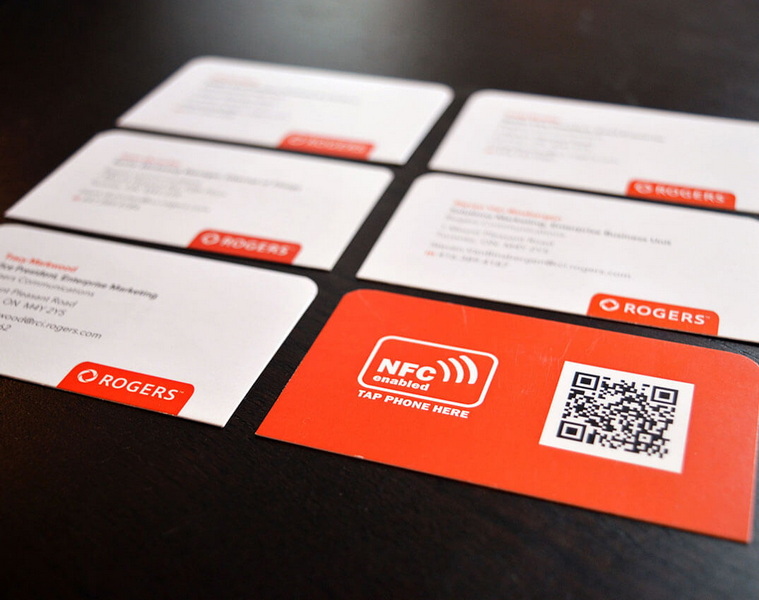
Including a QR code on your physical card allows those without NFC capabilities to access your information by scanning it with their camera.
Citations:
[1] https://www.instructables.com/Digital-Business-Card-With-NFC/
[2] https://www.hihello.com/blog/how-to-create-an-nfc-business-card
[3] https://wavecnct.com/blogs/news/how-to-create-your-own-nfc-card
[4] https://www.qrcodechimp.com/create-an-nfc-business-card/
[5] https://www.reddit.com/r/NFC/comments/mzvrco/creating_an_nfc_business_card/
[6] https://www.linkedin.com/pulse/how-create-nfc-digital-business-card-qrcodechimp-soblf
[7] https://wavecnct.com/blogs/news/nfc-business-card-guide
[8] https://www.reddit.com/r/shortcuts/comments/ez4ump/help_with_creating_a_business_cardautomation/
[9] https://www.instructables.com/NFC-Business-Card/
[10] https://blinq.me/blog/how-to-create-your-nfc-business-card
[11] https://www.youtube.com/watch?v=LYZlH7jfnZE


