Content Menu
● Introduction
● Understanding the Purpose of a Business Card
● Key Elements of a Business Card
● Design Principles for Business Cards
>> Choose the Right Size
>> Use Your Brand's Color Scheme
>> Include Your Logo
>> Select Readable Fonts
>> Maintain White Space
● Creative Design Ideas
>> Unique Shapes and Sizes
>> Textures and Materials
>> Incorporate QR Codes
>> Use Visual Elements
>> Add a Tagline or Positioning Statement
● Advanced Design Techniques
>> Embossing and Debossing
>> Letterpress Printing
>> Spot UV Coating
>> Foil Stamping
>> Die Cutting
● Printing Your Business Cards
● Conclusion
● Frequently Asked Questions (FAQs)
>> 1. What should I include on my business card?
>> 2. How can I make my business card stand out?
>> 3. What size should my business card be?
>> 4. Should I hire a professional printer?
>> 5. How many business cards should I print?
● Citations:
Introduction
Creating a business card that effectively represents you and your brand is crucial in today's professional landscape. A well-designed business card serves not only as a means of sharing your contact information but also as a powerful marketing tool that can leave a lasting impression on potential clients and partners. This article will guide you through the essential steps to design a nice business card, emphasizing the importance of creativity, clarity, and professionalism. We'll delve into the nuances of selecting the right design elements, understanding branding principles, and making informed choices about printing and finishing.
Understanding the Purpose of a Business Card
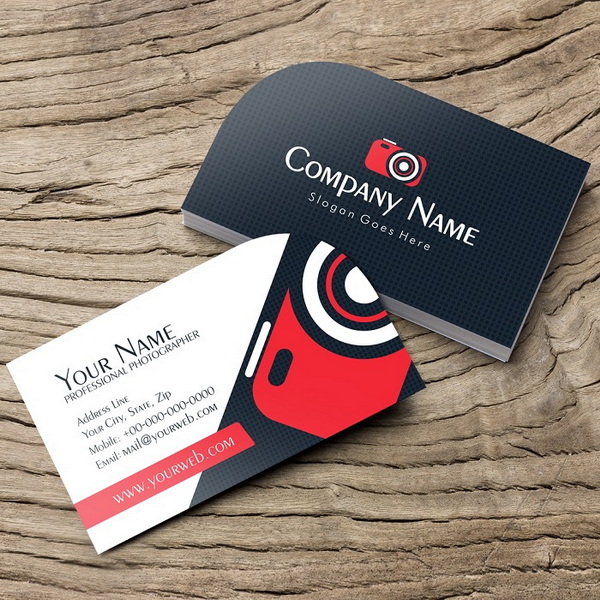
A business card is more than just a piece of paper; it encapsulates your professional identity. It's often the first tangible interaction a potential client or partner has with you and your business, making its impact significant. Here are some key purposes it serves:
- Networking: Business cards facilitate networking by providing an easy way to share contact information efficiently. In the fast-paced environment of conferences, meetings, or even casual encounters, a business card allows for quick information exchange without relying on digital devices or memory.
- Branding: They help establish and reinforce your brand identity through design elements such as logos, colors, and fonts. A consistent and visually appealing business card strengthens brand recognition and communicates the values and personality of your company.
- Professionalism: A well-crafted business card conveys professionalism and attention to detail. It shows that you take your business seriously and are willing to invest in presenting a polished image.
Key Elements of a Business Card
When designing your business card, consider incorporating the following elements to ensure it serves its purpose effectively:
- Your Name: Clearly display your name as the primary focus. It should be the most prominent piece of information, easily readable at a glance.
- Job Title: Include your position to inform recipients of your role within the company. This helps provide context and indicates your area of expertise.
- Company Name: Make sure your company name is prominent. It reinforces brand association and allows recipients to easily identify the organization you represent.
- Contact Information: Provide multiple ways to contact you, including phone number, email address, and website. Consider including a physical address if relevant to your business.
- Social Media Links: If relevant, include links to professional social media profiles. This allows recipients to connect with you and your company on platforms like LinkedIn, Twitter, or Instagram, further expanding your online presence.
Design Principles for Business Cards
Choose the Right Size
The standard size for business cards is 3.5” x 2”. This size is widely accepted and fits comfortably in most wallets and cardholders. However, you can opt for variations that suit your style or industry better. For example, a square card or a slim card can offer a modern and unique aesthetic. Ensure that the size is practical for storage and doesn't feel bulky or awkward.
Use Your Brand's Color Scheme
Incorporate colors that reflect your brand's identity. This not only enhances brand recognition but also creates visual appeal. Use your brand guidelines as a reference point to maintain consistency. Research color psychology to select hues that resonate with your target audience. For example, blue often conveys trust and stability, while green can symbolize growth and nature. Consider using a limited color palette to avoid overwhelming the design.
Include Your Logo
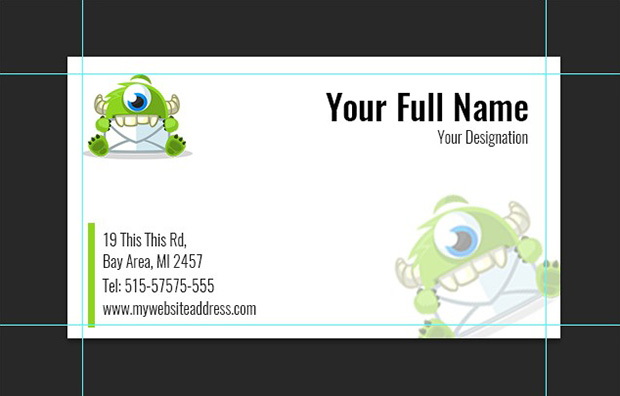
Adding your company's logo is essential for brand awareness. Position it strategically on the card to ensure it complements other information without overwhelming it. Consider the size and placement carefully. It should be visible but not too dominant. A smaller logo can be placed in the corner, while a larger logo might serve as a background element.
Select Readable Fonts
Choose fonts that are easy to read at a glance. Legibility is crucial for ensuring that recipients can quickly gather the necessary information. Avoid overly decorative fonts that may detract from clarity. A good rule of thumb is to use at least a 12pt font size for essential information like your name and contact details. Use different font weights or styles to create visual hierarchy and emphasize key elements.
Maintain White Space
Effective use of white space can enhance readability and draw attention to key details. Avoid overcrowding the card with too much information; instead, leave room for notes or additional contact methods. White space provides visual breathing room and prevents the card from appearing cluttered. It can also be used strategically to guide the eye to important elements of the design.
Creative Design Ideas
Unique Shapes and Sizes
Consider using non-traditional shapes or sizes for your business cards to stand out from the crowd. Square cards or cards with rounded corners can make a memorable impression. Die-cut shapes that reflect your industry or brand can also be effective. However, ensure that the shape is still practical for storage.
Textures and Materials
Experiment with different materials such as textured paper, plastic, or even metal for a tactile experience. These choices can convey quality and uniqueness. Choose materials that align with your brand's values and image. For example, recycled paper can communicate a commitment to sustainability, while a thick, luxurious cardstock conveys premium quality.
Incorporate QR Codes
Adding a QR code can direct recipients to your website or portfolio instantly, making it easier for them to connect with you online. This is particularly useful for sharing extensive information that wouldn't fit on the card. Ensure that the QR code is properly sized and easily scannable. Test it with various devices to confirm its functionality.
Use Visual Elements
Incorporate images or graphics that relate to your profession or services offered. This can help communicate what you do at a glance. Choose high-quality images that are visually appealing and relevant. Consider using a background image that complements your brand colors or a small icon that represents your industry.
Add a Tagline or Positioning Statement
Including a catchy tagline or positioning statement can succinctly convey what you do and differentiate you from competitors. This can be a powerful way to communicate your unique value proposition. Keep it concise and memorable. A well-crafted tagline can leave a lasting impression and help recipients remember your brand.
Advanced Design Techniques
Embossing and Debossing
Embossing and debossing are techniques that create raised or recessed elements on your business card, adding a tactile dimension and enhancing visual interest. These techniques can be used to highlight your logo, name, or other key details. Embossing creates a raised effect, while debossing creates a sunken effect.
Letterpress Printing
Letterpress printing is a traditional technique that involves pressing inked type or plates into the paper, creating a distinctive texture and vintage aesthetic. This method is often used for high-end business cards and can convey a sense of craftsmanship and quality.
Spot UV Coating
Spot UV coating involves applying a glossy coating to specific areas of your business card, creating a contrast between the shiny coated areas and the matte uncoated areas. This technique can be used to highlight your logo, images, or text, adding visual interest and sophistication.
Foil Stamping
Foil stamping involves applying a metallic foil to your business card, creating a shiny and eye-catching effect. This technique can be used to highlight your logo, name, or other key details. Foil stamping is available in a variety of colors, including gold, silver, and copper.
Die Cutting
Die cutting involves using a specialized tool to cut your business card into a custom shape. This technique can be used to create unique and memorable business cards that stand out from the competition. Die-cut shapes can be simple, such as rounded corners, or more complex, such as shapes that reflect your industry or brand.
Printing Your Business Cards
Once you've designed your business card, the next step is printing:
- Choose Quality Materials: Opt for high-quality cardstock or other durable materials to ensure longevity. The weight and finish of the paper can significantly impact the overall feel and appearance of your business card.
- Professional Printing Services: Consider using professional printing services to achieve the best results in terms of color accuracy and finish. Professional printers have the equipment and expertise to produce high-quality business cards that meet your exact specifications.
- Proofread Before Printing: Check all details meticulously before sending them off for printing to avoid costly mistakes. Double-check spelling, grammar, and contact information. It's also a good idea to have someone else review your design before printing.
Conclusion
Designing an effective business card requires careful consideration of various elements including size, color scheme, typography, materials and overall layout. It's a blend of art and functionality, aimed at encapsulating your professional identity in a compact, memorable format. By focusing on clarity and creativity while ensuring that all essential information is included, you can create a business card that not only represents you professionally but also leaves a lasting impression on anyone who receives it. Remember that your business card is often the first impression you make, so investing time and effort into its design is a worthwhile endeavor.
Frequently Asked Questions (FAQs)
1. What should I include on my business card?
Include your name, job title, company name, contact information (phone number, email), and social media links if relevant. Also consider adding a tagline or short description of your services.
2. How can I make my business card stand out?
Use unique shapes, colors that align with your brand, high-quality materials, and consider adding visual elements like images or QR codes. Explore advanced design techniques like embossing, foil stamping, or die-cutting.
3. What size should my business card be?
The standard size is 3.5” x 2”, but variations are acceptable if they fit better with your design concept. Just ensure that the size is practical for storage in wallets or cardholders.
4. Should I hire a professional printer?
Yes, hiring a professional printer ensures high-quality results in terms of material durability and print accuracy. They can also offer advice on paper stock, finishes, and printing techniques.
5. How many business cards should I print?
Start with a modest quantity based on your networking needs; it's better to print fewer cards than risk having outdated information. Consider printing 250 or 500 cards initially, and then reorder as needed.
Citations:
[1] https://www.indeed.com/career-advice/career-development/business-card-tips
[2] https://blog.hubspot.com/sales/how-to-design-business-card
[3] https://github.com/emac/emac.github.io/blob/master/search.xml
[4] https://graphicdesign.stackexchange.com/questions/830/making-a-business-card-any-advice
[5] https://www.reddit.com/r/startups/comments/7zqczc/a_few_tips_about_business_cards/
[6] https://www.cnblogs.com/apachecn/p/18461371
[7] https://www.vistaprint.com/hub/business-card-design-rules
[8] https://99designs.com/designer-resource-center/designing-business-cards


