Content Menu
● Introduction
● What is a Digital Business Card?
>> Key Features of Digital Business Cards
>> Additional Features
● Benefits of Digital Business Cards
● Types of Digital Business Cards
>> QR Code Business Cards
>> NFC Business Cards
>> App-Based Digital Cards
>> Web-Based Digital Cards
>> Social Media Business Cards
● How to Create a Digital Business Card
● Comparison: Digital vs Physical Business Cards
● Use Cases for Digital Business Cards
● Security Considerations
● Best Practices for Using Digital Business Cards
● Conclusion
● Related Questions
>> 1. What are the main advantages of using a digital business card?
>> 2. How do I create my own digital business card?
>> 3. Are there any security risks associated with digital business cards?
>> 4. Can I use my digital business card across different devices?
>> 5. What types of information can I include on my digital business card?
● Citations:
Introduction
In the digital age, where technology is rapidly evolving, traditional business cards are being replaced by more innovative solutions. One such solution is the digital business card. This modern tool not only facilitates the exchange of contact information but also enhances networking opportunities and personal branding. This article delves into what a digital business card is, its features, benefits, and how it compares to traditional business cards. We will also explore various types of digital business cards, their applications in different contexts, and best practices for using them effectively.
What is a Digital Business Card?
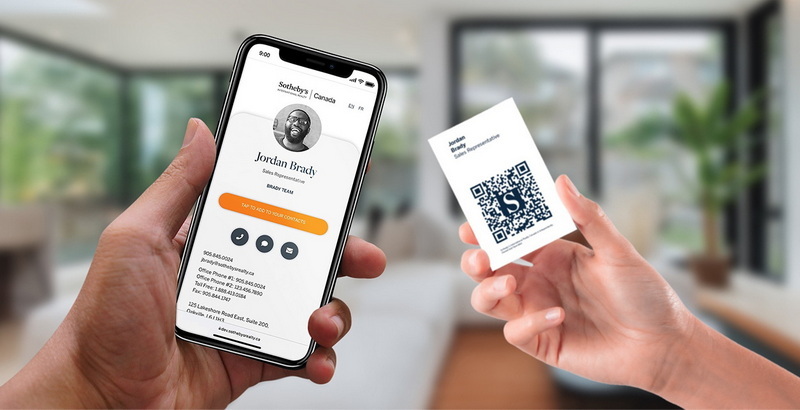
A digital business card is an electronic version of a traditional paper business card. It allows users to share their contact information, including name, title, company, phone number, email address, and social media links, through digital platforms. Unlike physical cards, digital business cards can be created and shared via smartphones, tablets, or computers using various applications or websites. They are also referred to as virtual business cards or electronic business cards.
Key Features of Digital Business Cards
Digital business cards come with several features that enhance their functionality compared to traditional cards:
- Customizable Design: Users can personalize their cards with logos, colors, images, and videos to reflect their brand identity.
- Interactive Elements: Digital cards can include clickable links to websites, social media profiles, and even multimedia content like videos.
- Easy Sharing: Sharing a digital card can be done through QR codes, NFC technology, or simple links via email or messaging apps.
- Instant Updates: Users can update their information in real-time without needing to print new cards.
- Analytics Tracking: Some digital business card platforms provide analytics on how often the card is viewed and interacted with.
Additional Features
Beyond the basic functionalities mentioned above, many digital business card platforms offer advanced features that can further enhance user experience:
- Integration with CRM Systems: Some platforms allow integration with Customer Relationship Management (CRM) systems. This feature enables users to automatically save contacts directly into their CRM software when someone scans their card.
- Social Media Integration: Users can link their social media accounts directly on their digital card. This feature allows recipients to connect on multiple platforms easily.
- Virtual Reality (VR) and Augmented Reality (AR): Some cutting-edge applications incorporate VR or AR elements into digital business cards. For example, scanning a card might display a 3D model of a product or a video introduction by the user.
- Multi-Language Support: For businesses operating in diverse markets, multi-language support allows users to create cards in different languages to cater to international clients.
Benefits of Digital Business Cards
The transition from physical to digital business cards offers numerous advantages:
1. Cost-Effective: Creating and maintaining a digital business card is often less expensive than printing physical cards. There are no recurring costs for reprints when contact information changes.
2. Environmentally Friendly: By reducing the need for paper production and printing, digital business cards contribute to sustainability efforts.
3. Convenience: Users can carry multiple digital cards on their devices without the bulkiness of physical cards. They can also access their cards anytime and anywhere.
4. Enhanced Networking Opportunities: Digital business cards facilitate quick sharing at networking events, allowing for immediate connections without the hassle of exchanging physical items.
5. Improved Engagement: With interactive elements such as links to social media or websites, recipients can engage with the sender's content more effectively.
6. Professionalism: A well-designed digital business card can convey a modern and professional image that aligns with current trends in technology and communication.
7. Accessibility: Digital cards can be easily accessed by anyone with an internet connection or smartphone, making them more versatile than traditional paper cards.
Types of Digital Business Cards
Digital business cards come in various forms depending on technology used and user needs:
QR Code Business Cards
These cards feature a QR code that can be scanned using a smartphone camera. Scanning the code directs users to a landing page containing all the contact information. QR codes are particularly useful at events where quick access to information is essential.
NFC Business Cards
Near Field Communication (NFC) technology allows users to share their contact details by tapping their NFC-enabled card against a smartphone. This method provides a seamless experience but requires compatible devices. NFC technology is becoming increasingly popular due to its ease of use and speed.
App-Based Digital Cards
Many applications allow users to create and share digital business cards directly from their smartphones or computers. These apps often provide customization options and easy sharing capabilities. Some popular apps include HiHello, CamCard, and L-Card Pro.
Web-Based Digital Cards
These are hosted on websites where users can create a personalized landing page with all their contact details and additional information like portfolios or product offerings. Web-based solutions offer more space for content compared to traditional cards.
Social Media Business Cards
Some platforms focus specifically on creating digital business cards that integrate seamlessly with social media profiles. These cards often include direct links to various social media accounts along with standard contact information.
How to Create a Digital Business Card
Creating a digital business card involves several straightforward steps:
1. Choose a Platform: Select an application or website that offers digital business card creation services.
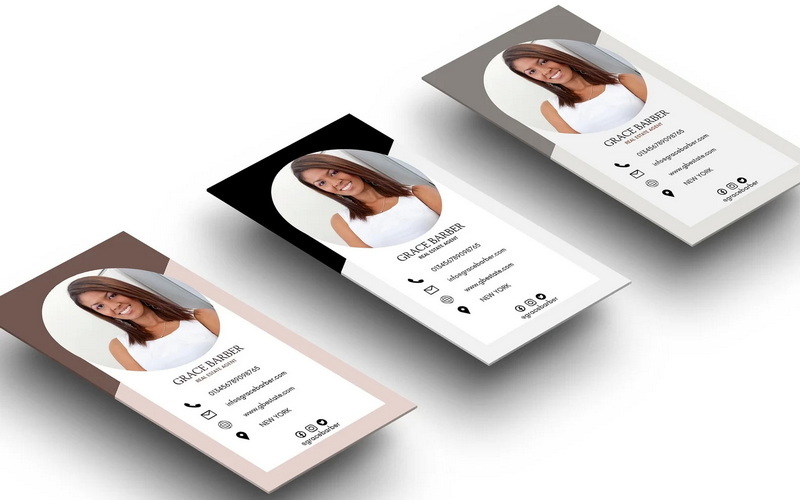
2. Design Your Card: Customize your card by adding your name, title, company logo, contact details, and any multimedia elements you wish to include.
3. Select Sharing Options: Decide how you want to share your card—via QR code, NFC tag, or direct link.
4. Save and Share: Once your card is created, save it on your device and start sharing it with potential contacts.
5. Test Your Card: Before widely distributing your card, test it by sharing it with friends or colleagues to ensure all links work correctly and that the design appears as intended.
Comparison: Digital vs Physical Business Cards
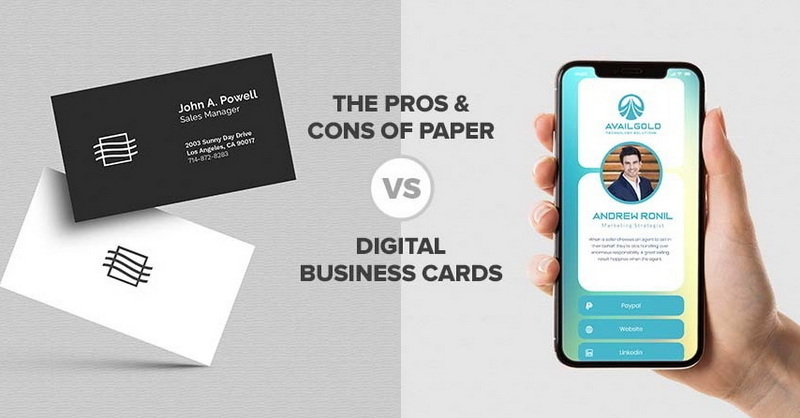
| Feature | Digital Business Card | Physical Business Card |
| Cost | Generally lower; no reprinting needed | Higher; costs for printing and design |
| Update Capability | Instant updates available | Requires reprinting for any changes |
| Environmental Impact | Eco-friendly; reduces paper waste | Less sustainable; uses paper resources |
| Sharing Method | QR codes, NFC tags, links | Physical exchange only |
| Information Capacity | Unlimited space for content | Limited space due to physical size |
| Interactivity | Can include multimedia elements | Static; only text and images |
| Accessibility | Easily accessible via devices | Limited by physical distribution |
Use Cases for Digital Business Cards
Digital business cards can be utilized in various settings:
- Networking Events: Quickly share contact information with potential clients or partners without fumbling through wallets or pockets for paper cards.
- Sales Teams: Sales representatives can provide detailed product information alongside their contact details through interactive elements on their digital cards.
- Freelancers: Freelancers can showcase portfolios directly through their digital cards by linking to examples of their work or client testimonials.
- Corporate Branding: Companies can maintain consistent branding across all employee digital business cards while allowing individual customization within brand guidelines.
- Event Promotions: Event organizers can create specific digital cards for attendees featuring schedules and links to relevant resources like maps or speaker bios.
- Job Seekers: Individuals looking for employment can use digital business cards as an effective way to share resumes and LinkedIn profiles during job fairs or networking events.
Security Considerations
While digital business cards offer numerous benefits, security remains a concern:
- Data Protection: Ensure that the platform used encrypts data to protect personal information from unauthorized access.
- Phishing Risks: Be cautious about sharing links that could lead to phishing sites; use trusted platforms only.
- Access Control: Some platforms allow users to control who has access to their information; utilize these features for added security.
- Privacy Settings: Review privacy settings on the platform you choose; ensure that you're comfortable with how your data will be used or shared.
Best Practices for Using Digital Business Cards
To maximize the effectiveness of your digital business card:
1. Keep It Simple: Avoid cluttering your card with too much information; focus on key details that represent you best.
2. Use High-Quality Images: Ensure any images used (like logos) are high resolution so they appear professional when viewed on different devices.
3. Test Sharing Methods: Familiarize yourself with different sharing methods (QR code scanning vs NFC) so you can adapt based on your audience's preferences during networking events.
4. Follow Up After Sharing: After exchanging digital business cards at an event, follow up with new contacts via email or social media within a few days while the interaction is still fresh in their minds.
5. Regularly Update Your Information: Make it a habit to review your digital card periodically; ensure all details are accurate and reflect any changes in your career or personal branding efforts.
6. Promote Your Card Online: Share your digital business card link on your email signature or social media profiles for wider visibility beyond face-to-face interactions.
Conclusion
Digital business cards represent a significant advancement in how professionals share contact information and network in today's fast-paced environment. They offer flexibility, interactivity, cost-effectiveness while reducing environmental impact compared to traditional paper cards. As technology continues to evolve, the adoption of digital solutions like these will likely become even more prevalent across various industries.
With numerous benefits ranging from enhanced engagement opportunities to improved accessibility across devices, it's clear that embracing this modern tool can significantly enhance personal branding efforts and networking success in both professional settings and casual encounters.
Related Questions
1. What are the main advantages of using a digital business card?
- The main advantages include cost-effectiveness, ease of updates, environmental sustainability, convenience in sharing contacts, enhanced engagement through interactive elements, professionalism in presentation, and improved accessibility across devices.
2. How do I create my own digital business card?
- You can create your own by choosing an online platform or app that specializes in digital business card creation (such as HiHello), customizing your design with personal details and multimedia elements (like photos), then saving it for sharing via QR code or link through email or messaging apps.
3. Are there any security risks associated with digital business cards?
- Yes; potential risks include data breaches if not properly secured on the chosen platform as well as phishing attempts through shared links; it's essential always to use reputable platforms that prioritize security measures such as encryption protocols for data protection against unauthorized access attempts.
4. Can I use my digital business card across different devices?
- Yes! Most modern solutions are designed specifically so users have seamless access regardless of device type—be it smartphones/tablets/computers—ensuring maximum convenience when sharing info during networking opportunities!
5. What types of information can I include on my digital business card?
- You have the freedom to include comprehensive details like name/title/company logo/contact details (phone number/email/social media handles/website URL) along with additional multimedia elements such as videos showcasing work samples/testimonials from clients etc., providing recipients valuable insights into who you are professionally!
Citations:
[1] https://www.eventible.com/learning/what-is-a-digital-business-card/
[2] https://bitly.com/blog/benefits-of-digital-business-cards/
[3] https://www.doorway.io/blog/what-is-a-digital-business-card/
[4] https://resources.sansan.com/blog/digital_business_card_advantages
[5] https://www.joinsocialcard.com/post/how-do-digital-business-cards-work
[6] https://linlet.com/guide/article/164-What-is-a-digital-business-card
[7] https://virtualspirit.me/insights/296/10-key-features-of-digital-business-cards
[8] https://www.youtube.com/watch?v=zHp5LHYjq7A


