Content Menu
● Why Comic Book Printing Specifications Matter
● Choosing Comic Book Paper Stock
>> Interior Paper Options
>> Cover Paper and Finishes
>> Expert Insight: Match Paper to Ink Coverage
● Selecting the Right Binding Method
>> Saddle Stitch Binding
>> Perfect Binding
>> Binding Decision Framework
● Comic Book Trim Size and Page Layout
● Color Setup: CMYK, RGB and Black Ink
>> Convert to CMYK Before Export
>> Use Rich Black for Large Black Areas
● File Setup: Bleed, Safe Zone and Resolution
>> Bleed
>> Safe Zone
>> Resolution
● How to Prepare a Press-Ready Comic Book PDF
>> PDF Format Recommendations
● Proofing: The Step That Prevents Costly Reprints
● Cost Control Without Sacrificing Quality
>> Ways to Reduce Cost
>> Where to Invest
● Common Comic Book Printing Mistakes
● How XingKun Supports Custom Comic Book Production
● Conclusion
● FAQ
>> 1. What is the standard comic book trim size?
>> 2. Should comic book files be RGB or CMYK?
>> 3. How much bleed does a comic book need?
>> 4. What resolution should comic book artwork be?
>> 5. Which binding is best for a comic book?
>> 6. Do I need a physical proof before printing?
● References
Printing a comic book successfully depends on four connected decisions: paper stock, binding method, color management, and print-ready file setup. Get these right before production, and you protect your artwork, control unit cost, and avoid expensive reprints. This guide explains how brands, publishers, indie creators, and procurement teams can specify a professional comic book print run with confidence. [publishingxpress]
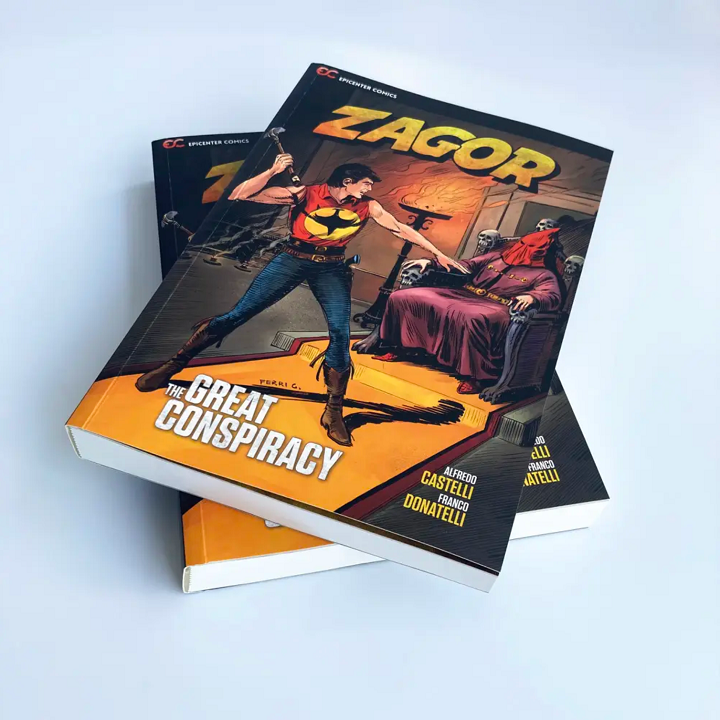
At XingKun, we work with OEM and ODM buyers producing custom comic books, graphic novels, mangahttps://www.xkdisplay.com/comic-book.html-style publications, promotional booklets, and collector editions. Our comic book capabilities include coated and uncoated paper options, offset and digital printing, and binding formats such as saddle stitching and perfect binding. [es.xkdisplay]
Why Comic Book Printing Specifications Matter
A comic book is not simply a "small book." It is a visual product where line weight, black density, color saturation, page flatness, and trim accuracy directly affect the reader's experience.
A small production error can create major commercial problems:
- A missing bleed creates an unwanted white edge on full-bleed artwork.
- RGB files can shift bright blues, greens, and reds during CMYK conversion.
- Text placed too close to the trim line may be cut off.
- A binding choice that does not match the page count can make the book difficult to open.
- Low-resolution raster art may print soft or pixelated.
Professional printers generally require 300 DPI images, CMYK color, embedded fonts, 0.125-inch bleed, and a press-ready PDF. These requirements are not arbitrary; they reduce trimming variation, color drift, font-substitution errors, and transparency issues. [publishingxpress]
Choosing Comic Book Paper Stock
Paper selection affects cost, durability, color reproduction, glare, and perceived product value. The best choice depends on whether you are producing a newsstand-style single issue, a premium graphic novel, a black-and-white manga, or a collector's edition.
Interior Paper Options
| Paper type | Best for | Visual effect | Practical consideration |
| 60–70 lb uncoated | Black-and-white comics, indie zines, budget print runs | Natural, tactile, less glare | More economical, but color may appear less vivid yourbookpress |
| 80 lb coated gloss text | Full-color comics and graphic novels | Sharp detail, vibrant color | A common upgrade for color-heavy artwork |
| 100 lb coated gloss text | Premium comics, art books, collector editions | High contrast and rich saturation | Heavier and more expensive; reduces show-through |
| Matte or satin coated | Premium graphic novels, literary comics | Softer, less reflective finish | Reduces glare but may slightly mute bright colors |
For many full-color commercial comics, 80–100 lb coated text paper is a reliable starting point. It supports detailed linework and saturated color while helping prevent ink show-through from the reverse side. [yourbookpress]
Cover Paper and Finishes
The cover is your first physical impression, so it usually needs more durability than the interior pages.
Common cover specifications include:
- 80–100 lb coated cover stock for standard comic books.
- 10–14 pt C1S or C2S cover board for more substantial single issues.
- Gloss lamination for vivid color, scratch resistance, and a commercial retail look.
- Matte lamination for a premium, low-glare finish.
- Spot UV, foil stamping, embossing, or soft-touch coating for collector editions and special releases.
A typical indie comic specification is a 70 lb uncoated interior with a 14 pt C2S gloss cover. For premium full-color work, publishers often move to 80 lb or 100 lb gloss text interiors with a laminated cover. [yourbookpress]
Expert Insight: Match Paper to Ink Coverage
One issue we often see is a beautiful digital file printed on paper that is too light for the artwork. If your comic contains dense black backgrounds, heavy color fields, or double-page artwork, choose a heavier coated stock. This reduces show-through, improves ink holdout, and makes the final book feel more substantial.
For black-and-white comics, however, heavier coated paper is not always necessary. A lighter uncoated stock can deliver a clean, classic reading experience at a lower cost. [yourbookpress]
Selecting the Right Binding Method
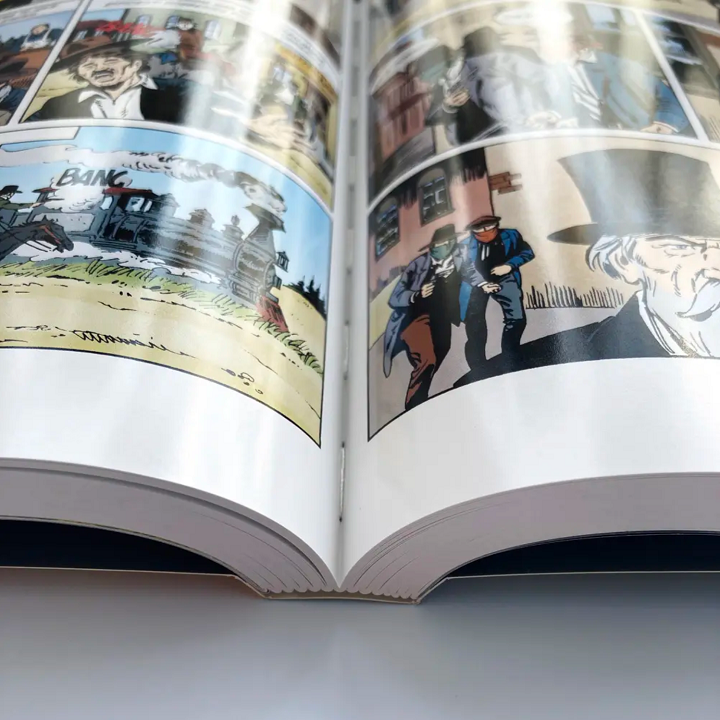
Binding is both a structural and commercial decision. It determines how the comic opens, how durable it is, whether it can display a spine title, and how it performs on a retail shelf.
| Binding method | Best page range | Best use case | Key benefit |
| Saddle stitch | Typically shorter booklets, often up to about 60 pages | Single issues, promotional comics, event giveaways | Low cost, lightweight, opens relatively flat |
| Perfect binding | Usually longer publications, commonly 80+ pages | Graphic novels, trade paperbacks, collected editions | Square spine allows shelf display and spine printing |
| Case binding / hardcover | Premium or archival publications | Deluxe editions, art books, collector sets | Strong durability and premium presentation |
| Wire-O or spiral binding | Reference-style or lay-flat products | Workbooks, instructional comics, sketchbooks | Pages lie flat, though less traditional for comics greenerprinter |
Saddle Stitch Binding
Saddle stitching uses staples through the folded spine. It is the traditional format for many single-issue comics because it is economical and lightweight.
However, page count must be planned carefully. Saddle-stitched and perfect-bound books generally require a total page count divisible by four, including covers. If your story ends on page 22, you may need to add blank pages, advertisements, credits, sketches, or bonus content to reach the next workable count. [greenerprinter]
Perfect Binding
Perfect binding glues the pages into a flat square spine. It is the standard choice for longer graphic novels and collected editions because it supports a printed spine and looks more like a retail book. [greenerprinter]
For perfect-bound books, keep important content farther from the binding edge. A common production guideline is to maintain at least 0.25 inch of clearance from the spine, while some printers recommend a larger inner-margin allowance for thicker perfect-bound books. [greenerprinter]
Binding Decision Framework
Use this simple rule:
- Under about 60 pages: consider saddle stitch.
- 80 pages or more: consider perfect binding.
- Premium collector edition: consider hardcover, foil, spot UV, or a slipcase.
- Needs to lie flat: consider Wire-O or spiral binding.
- Retail shelf presence matters: choose perfect binding or case binding with a printable spine. [greenerprinter]
Comic Book Trim Size and Page Layout
The most common U.S. comic book trim size is 6.625 × 10.25 inches. After adding 0.125-inch bleed to every side, the working canvas becomes 6.875 × 10.5 inches. [publishingxpress]
That said, trim size should follow your market and product strategy:
- Standard U.S. comic size: familiar to comic readers and efficient for many printers.
- Manga format: often smaller and more portable, commonly around 5 × 7.5 inches depending on the edition.
- European album format: larger pages, useful for detailed artwork and premium graphic novels.
- Custom square or landscape format: strong for art-led comics, children's books, and promotional publications.
Before designing, confirm the final trim size, bleed, safe area, page count, and binding method with your printer. Changing trim size after artwork is complete can require substantial relayout work.
Color Setup: CMYK, RGB and Black Ink
Comic artwork is often created digitally in RGB because screens use red, green, and blue light. Commercial printing, however, uses CMYK ink: cyan, magenta, yellow, and black. Because RGB can display colors outside the CMYK gamut, some vivid screen colors—especially electric blues, greens, and saturated reds—may look duller in print. [publishingxpress]
Convert to CMYK Before Export
Do not wait for the printer to convert RGB files automatically. Convert your artwork to CMYK early, using the ICC profile supplied by your printer or an appropriate coated-stock profile such as U.S. Web Coated (SWOP) v2, ISO Coated v2, or GRACoL2006, depending on the production workflow. [myth]
Practical color rules:
- Set documents to CMYK before coloring whenever possible.
- Use 300 DPI minimum resolution for raster artwork at final print size.
- Embed all fonts or convert text to outlines.
- Avoid relying on neon RGB colors that CMYK cannot reproduce.
- Request a printed proof for color-critical projects. [publishingxpress]
Use Rich Black for Large Black Areas
For large solid black backgrounds, K=100 alone can sometimes appear lighter or less consistent than expected. Many printers recommend a rich black formula such as C=60, M=40, Y=40, K=100 for deeper coverage. [yourbookpress]
However, do not apply rich black to small text or fine linework without confirming the specification with your printer. Excessive ink coverage can cause registration problems, smearing, or longer drying times. Some printers also recommend keeping total ink coverage at or below 300% to reduce these risks. [publishingxpress]
File Setup: Bleed, Safe Zone and Resolution
A print-ready comic file must give the production team enough information to trim, bind, and print accurately. The three most important zones are bleed, trim line, and safe area.
Bleed
Bleed is artwork that extends beyond the final trim line. It prevents white paper edges from appearing if the cutting position shifts slightly during production.
For most comic books, use:
- 0.125 inch / 3 mm bleed on all four sides
- Extend all background colors, images, and full-bleed panels into the bleed area
- Do not place crop marks inside the artwork unless your printer specifically requests them [publishingxpress]
Safe Zone
The safe zone is the area inside the trim line where critical content should remain. This includes dialogue, captions, logos, barcodes, character faces, and important visual details.
A common safe-zone rule is:
- Keep essential text and artwork at least 0.25 inch inside the trim line.
- For perfect-bound books, keep text at least 0.25 inch from the spine.
- For thicker perfect-bound books, consider a larger inner margin to prevent text from disappearing into the gutter. [publishingxpress]
Resolution
Use 300 DPI or PPI at final printed size. A 300 DPI file that is enlarged during layout may no longer be 300 DPI at the actual trim size, so always check resolution after scaling. [publishingxpress]
For vector linework, resolution is less of an issue because vectors scale cleanly. But raster elements—painted backgrounds, scanned pencils, textures, and photographic images—must meet the 300 DPI requirement.
How to Prepare a Press-Ready Comic Book PDF
Follow this checklist before uploading artwork:
1. Confirm final trim size and page count. Ensure the page count works with your binding method.
2. Create pages in reading order. Page 1 should be the front cover; the final page should be the back cover.
3. Set up 0.125-inch bleed on all sides.
4. Keep critical content inside the safe area.
5. Convert images and document color to CMYK.
6. Use 300 DPI for raster artwork at final size.
7. Embed fonts or convert text to outlines.
8. Flatten transparency or export using a compatible PDF/X setting.
9. Export a single multi-page press-ready PDF.
10. Run preflight checks before submission. [publishingxpress]
PDF Format Recommendations
Most professional printers prefer a single PDF containing all pages in the correct order. PDF/X-1a is often considered the safer choice for offset production because it enforces CMYK color, embeds fonts, and flattens transparency. PDF/X-4 can also be suitable when your printer supports live transparency. [publishingxpress]
Avoid submitting:
- Low-resolution screen PDFs
- JPEG-only page files
- RGB artwork
- Missing fonts
- Pages without bleed
- Spreads when the printer has requested single pages
Some printers accept TIFF files, but a press-ready PDF is usually more efficient and less prone to layout or font errors. [greenerprinter]
Proofing: The Step That Prevents Costly Reprints
A digital proof confirms layout, but it cannot fully show how ink behaves on your chosen paper. For commercial launches, crowdfunding rewards, licensed merchandise, or collector editions, order a physical proof before mass production.
Check the proof for:
- Color accuracy on several representative pages, not only the cover
- Black density and line sharpness
- Text placement near the spine and trim edges
- Paper opacity and show-through
- Binding strength and page alignment
- Cover finish, lamination, and overall tactile quality
Industry guidance consistently recommends reviewing a proof copy before committing to a full run, especially for color-sensitive projects. [publishingxpress]
Cost Control Without Sacrificing Quality
You do not need the most expensive specification to produce a professional comic book. The goal is to match materials and production methods to the product's market position.
Ways to Reduce Cost
- Use saddle stitching for shorter single issues.
- Choose 70 lb uncoated interior paper for black-and-white work.
- Standardize on a common trim size where possible.
- Avoid unnecessary special finishes on large-volume editions.
- Combine cover and interior files into correctly prepared PDFs to reduce prepress revisions.
- Print a realistic quantity; unit cost usually improves as volume increases.
Where to Invest
- Use coated gloss or satin paper for premium full-color artwork.
- Add lamination to protect the cover.
- Upgrade to perfect binding for graphic novels intended for retail shelves.
- Use spot UV, foil, embossing, or a slipcase only when the product price and brand positioning justify it.
Common Comic Book Printing Mistakes
| Mistake | Result | Prevention |
| No bleed | White edges on trimmed pages | Extend artwork 0.125 inch beyond trim |
| RGB files | Unexpected color shifts | Convert to CMYK before export |
| Text near trim | Cut-off dialogue or captions | Keep text 0.25 inch inside trim |
| Low-resolution art | Blurry or pixelated printing | Use 300 DPI at final size |
| Wrong page count | Production delays or added blank pages | Make page count divisible by four for saddle stitch or perfect binding greenerprinter |
| Light paper for heavy color | Show-through and weaker color | Upgrade to 80–100 lb coated text |
| No physical proof | Color or binding issues discovered after full production | Approve a printed proof first |
How XingKun Supports Custom Comic Book Production
Shenzhen XingKun Packing Products Co., Ltd. provides OEM and ODM printing services for international brands, wholesalers, and publishers. Beyond comic books, XingKun produces custom packaging boxes, playing cards, jigsaw puzzles, printed books, stickers, labels, badges, folders, and packaging bags—making it easier to coordinate a comic with matching collector packaging, mailers, or promotional inserts. [es.xkdisplay]
For comic book projects, buyers can specify:
- Custom trim sizes and page counts
- Coated, uncoated, matte, satin, and specialty paper options
- Saddle stitch, perfect binding, and other bookbinding formats
- Offset or digital printing depending on quantity and artwork requirements
- Cover finishes such as gloss lamination, matte lamination, spot UV, and foil effects
- Matching comic book boxes, slipcases, and retail packaging [es.xkdisplay]
Before production, share your trim size, page count, paper preference, binding method, color expectations, and print-ready files. A clear specification allows the prepress team to identify risks early and produce an accurate proof.
Conclusion
A successful comic book print run starts long before the press. Choose paper that suits your artwork, select binding based on page count and retail goals, manage color in CMYK, and prepare files with correct bleed, safe margins, resolution, and embedded fonts. For most full-color comics, 80–100 lb coated text paper, a laminated cover, 300 DPI CMYK artwork, 0.125-inch bleed, and a press-ready PDF provide a strong professional baseline. [publishingxpress]
If you are planning a custom comic book, graphic novel, manga edition, or collector's set, send XingKun your artwork and specifications for a production review and quotation. Our team can help you select the right paper, binding, finish, and packaging format for your target market.
Ready to print your comic book? Contact XingKun for a custom comic book printing quote and prepress file review.
FAQ
1. What is the standard comic book trim size?
The standard U.S. comic trim size is commonly 6.625 × 10.25 inches. With 0.125-inch bleed added to each side, the design canvas should be 6.875 × 10.5 inches. [publishingxpress]
2. Should comic book files be RGB or CMYK?
Use CMYK for print-ready comic files. RGB artwork may contain colors that CMYK printing cannot reproduce, especially bright blues, greens, and reds, so convert files before export. [publishingxpress]
3. How much bleed does a comic book need?
Most comic book printers require 0.125 inch / 3 mm of bleed on all four sides. Extend all background artwork and full-bleed panels into this area. [publishingxpress]
4. What resolution should comic book artwork be?
Use at least 300 DPI at final print size for raster artwork, including painted backgrounds, scans, textures, and photos. Vector linework can remain vector-based. [publishingxpress]
5. Which binding is best for a comic book?
Use saddle stitching for shorter single issues and perfect binding for longer graphic novels or collected editions. Perfect binding also provides a printable square spine for retail display. [greenerprinter]
6. Do I need a physical proof before printing?
For color-critical, retail, licensed, or collector products, yes. A physical proof helps you check color, paper, black density, binding, trim, and cover finish before committing to the full production run. [publishingxpress]
References
1. Publishing Xpress — *Print-Ready Files for Comic Book Printing (2026 Guide)*: [https://www.publishingxpress.com/blog/how-to-submit-print-ready-files-comic-books/]
2. Publishing Xpress — *Comic Book Print Formatting: 2026 Step-by-Step Guide*: [https://www.publishingxpress.com/blog/how-to-format-comic-book-for-print/]
3. Greener Printer — *Comic Book Printing | Indie Comics, Manga & Graphic Novels*: [https://www.greenerprinter.com/products/custom-comic-book-printing]
4. YourBookPress — *Custom Comic Book Printing*: [https://yourbookpress.com/comic-book-printing]
5. Publishing Xpress — *Self-Publishing a Graphic Novel: Print Options 2026*: [https://www.publishingxpress.com/blog/self-publishing-a-graphic-novel-print-options-explained/]
6. Mythworks — *Publishing 101: How to Print Your Own Comic Books*: [https://www.myth.works/blogs/the-biz/publishing-101-how-to-print-your-own-comic-books]
7. XingKun — *Comic Book Product Page*: [https://www.xkdisplay.com/comic-book.html]
8. XingKun — *About XingKun*: [https://es.xkdisplay.com/aboutus.html]


