Content Menu
● Introduction
● What You Need to Create an NFC Business Card
● Step-by-Step Guide to Creating an NFC Digital Business Card
>> Step 1: Purchasing an NFC card
>> Step 2: Creating a digital business card
>> Step 3: Writing the NFC business card
>> Alternative method using HiHello
● Creating a Landing Page for your NFC Card
● PCB Business Card With NFC
>> Schematic
● Benefits of an NFC Business Card
● Best Practices for Your NFC Business Card
● NFC Digital Business Cards: The Future of Networking
● Conclusion
● Frequently Asked Questions
>> 1. What is an NFC business card?
>> 2. How does an NFC business card work?
>> 3. What are the benefits of using an NFC business card?
>> 4. How do I create an NFC business card?
>> 5. How much does it cost to create an NFC business card?
● Citations:
Introduction
Near Field Communication (NFC) is a technology found in many devices today, from credit cards to door locks, and most importantly, smartphones[1]. With a few simple steps and relatively low costs, you can create a digital business card that uses NFC and can be read by a smartphone to transfer contact information[1]. This high-tech solution makes exchanging your contact information fast and easy, and it also makes you look very cool[1].
An NFC digital business card has an NFC chip that enables one-tap contact sharing[4]. Users can tap the NFC business card to get your digital business card URL and save the contact details[4].
What You Need to Create an NFC Business Card
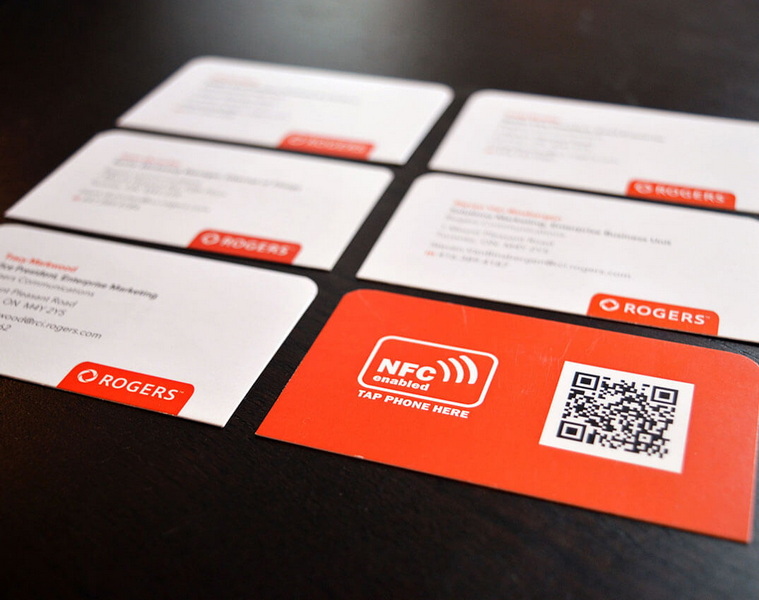
Creating a digital business card is quite simple and doesn't have to be very expensive[1]. Here's what you need:
- NFC tags You can find them on Amazon. Be sure to check how much memory you need to put all your information on one, since NFC tags have a REALLY small storage capacity (think bytes!)[1].
- A smartphone with an NFC chip (most current cell-phones have one)[1].
- An App for reading and writing NFC chips[1].
Step-by-Step Guide to Creating an NFC Digital Business Card
Here's how QRCodeChimp can act as NFC card maker to help you create it in a few minutes without needing any special equipment, tool, or knowledge[4]. And it doesn't hurt your wallet, either[4]. Follow these steps to create an NFC digital business card[4].
Step 1: Purchasing an NFC card
The first step is to buy an NFC card, which you can easily purchase from Amazon[4].
1. Go to amazon.com[4].
2. Search for “NFC business card” in the search box. A lot of products will appear[4].
3. Purchase the best NFC business card as per your budget and requirements. Most sellers sell NFC cards in packs, so you may have to buy a pack of at least five cards[4].
Note: Most NFC business cards come in two material types: Plastic and metal NFC business cards[4]. You can opt for any depending on your needs[4].
Once you have the NFC cards, move to the next step[4].
Step 2: Creating a digital business card
The next step is to create a digital business card, and QRCodeChimp has got you covered in this department[4]. Here's how to create a digital business card[4].
1. Go to QRCodeChimp‘s Digital Business Card solution to create a lifetime free Digital Business Card[4].
2. Enter your information, upload your photos and logos to create your digital business card and save it[4].
3. Copy the digital business card URL[4].
Step 3: Writing the NFC business card
Next, we need to write the digital business card URL on the NFC card[4]. Here's how to do it[4].
1. Download an NFC writer app of your choice. We've used NFC Tools (available on both the Play Store and App Store) for this tutorial[4].
2. Open the NFC Tools app[4].
3. Click on “Write” and then on “Add a record.” A list of data types will appear[4].
4. Select the URL option and paste the digital business card URL in the URL field. Then click on OK[4].
5. Return to the app homepage, and click on Write. Select the “Write” option towards the end. A “Ready to Scan” popup will appear[4].
6. Bring the NFC card close to the back of your phone. You'll see a confirmation popup on your screen if the tag is written[4].
That's pretty much it[4]. You can now use your NFC business card to share your contact information with a single tap[4].
Note: Enhance your NFC digital business card by printing a QR code of your digital business card on it[4]. This way, if someone's smartphone lacks NFC capabilities, they can still access your contact information with a quick scan[4].
Alternative method using HiHello
Instead of purchasing an NFC business card, make your own with HiHello[5]. Follow these four simple steps to write your digital business card to an NFC tag[5].
1. On your mobile app, tap the card you want to link to your NFC tag and tap the three-dot menu[5].
2. Tap Write to NFC[5].
3. Hold your NFC tag up to your mobile device and allow it to scan[5].
4. Use the NFC tag to share your business card![5]
Creating a Landing Page for your NFC Card
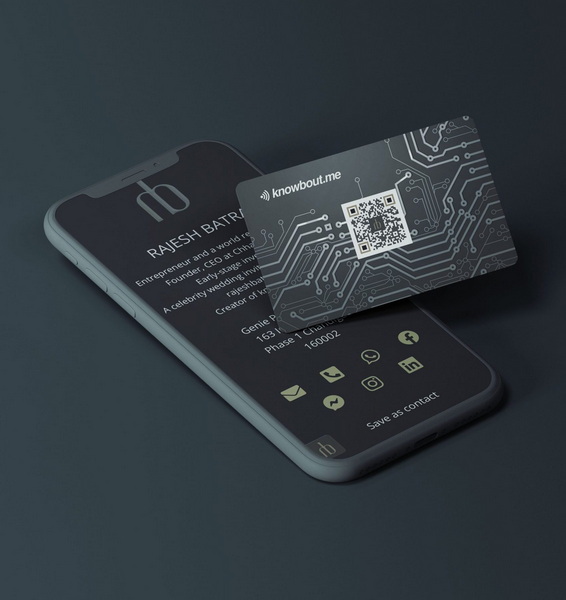
Many smart business cards on the market give you this option for a nice landing page hosting your info[3]. So, I created a few ways to replicate that experience in the next section[3].
It's good to note that you can skip these steps with a Wave profile, as you have the option to download an app on Android or Apple that allows you to make instant updates to your NFC card information[3]. This means that you can keep your information current and up-to-date, without having to rewrite your card to update the information[3].
PCB Business Card With NFC
The NFC chip is the heart of the business card[2].
My requirement were:
- a small SMD package
- enough memory for a link to my LinkedIn profile
- embedded energy harvesting module[2]
Schematic
The creation of the electronic schema is done on EAGLE PCB[2].
After importing the library "PCB\_BusinessCard.lbr" created previously, the different electronic components are added to the schematic[2].
The NFC NT3H1101 integrated circuit, the only active component of the circuit, is connected to the passive components using the descriptions of its pins given in its datasheet[2]:
- The loop antenna of 2,75 μH is connected to LA and LB pins[2].
- The energy harvesting output VOUT is used to power the NFC chip and is therefore connected to its VCC pin[2].
- A 220 nF capacitor is connected between VOUT and VSS to guarantee operation during RF communication[2].
- Finally, the LED and its series resistor are powered by VOUT[2].
Benefits of an NFC Business Card
Here are some of the benefits of using an NFC business card[4]:
- One-Tap Contact Sharing: NFC business cards allow you to share your contact information with a single tap[4]. This is much faster and more convenient than traditional paper business cards, which require the other person to manually enter your information into their phone[4].
- No Risk of Losing Information: When you share contact details using paper business cards, there is always a risk of the card getting lost or misplaced[4]. That's not the case with NFC business cards[4]. When a user taps your NFC business card on their phone, they receive your digital business card URL[4].
- Eco-Friendly: NFC business cards are a more sustainable option than paper business cards[7]. They eliminate the need to print new cards every time your contact information changes, and they reduce the amount of paper waste[7].
- Versatile: With a digital business card, you can include links to your website, social media profiles, and other online content[4].
- Modern: Using an NFC business card can help you stand out from the competition and make a lasting impression[1].
- Cost Effective: While there is an initial cost to purchasing NFC tags, they can save you money in the long run by eliminating the need to constantly reprint paper business cards[1].
- Convenient: NFC business cards are easy to carry around and use[1]. They can be attached to your phone, wallet, or keychain, so you always have them with you[1].
Best Practices for Your NFC Business Card
Here are some tips to follow to make the best NFC business cards[4]:
- Put a QR code on your NFC business card: Some smartphones may not support NFC[4]. Or even if they do, they sometimes may not be able to scan it[4]. Having a QR code on your business card will ensure that devices without NFC capabilities can also save your contact details[4].
- Create an amazing digital business card: The effectiveness of your NFC business card will largely depend on how good your digital business card is[4]. So, spend some time creating a top-notch digital business card that empowers your networking efforts[4].
- Select a good NFC application: If you want to seamlessly write and edit your NFC business card, you'll need a good NFC application[4]. Do some research and pick an app that's user-friendly and has all the features[4].
- Keep your information up-to-date: Make sure that the information on your digital business card is always current[3]. Update your contact information, website links, and social media profiles as needed[3].
- Design your business card carefully: Your NFC business card should be visually appealing and easy to read[1]. Use a clear font and include your logo and other branding elements[1].
- Consider the placement of the NFC chip: Think about where you're going to place your NFC chip[1]. You can leave one side unprinted or simply stick it between two layers, like we did[1].
NFC Digital Business Cards: The Future of Networking
In today's fast-paced, digitally-driven world, traditional paper business cards are becoming increasingly obsolete[4]. NFC digital business cards offer a modern, efficient, and eco-friendly way to share your contact information[4]. With their ease of use and numerous benefits, NFC business cards are poised to become the new standard for networking[4].
All new iOS devices are equipped with NFC support, ensuring that nearly 100% of iPhone users can conveniently tap and connect with you[4]. Similarly, the majority of Android smartphones also come with NFC readers, enabling approximately 80% of Android users to simply tap and connect[4]. For the remaining users without NFC support on their phones, they can easily scan your printed QR code to establish a connection[4].
Conclusion
Creating an NFC business card is a simple and affordable way to modernize your networking efforts[4]. By following the steps outlined in this guide, you can create a custom NFC business card that will impress potential clients and help you stay connected in today's digital world[4].
Frequently Asked Questions
1. What is an NFC business card?
An NFC (Near Field Communication) business card is a modern alternative to traditional paper business cards[4]. It contains an NFC chip that allows you to share your contact information with others by simply tapping the card against their smartphone[4].
2. How does an NFC business card work?
When an NFC business card is tapped against a smartphone, the NFC chip transmits the stored information to the phone[4]. This information can include your contact details, website URL, social media profiles, and more[4]. The phone then displays this information, allowing the recipient to easily save it to their contacts[4].
3. What are the benefits of using an NFC business card?
There are many benefits to using an NFC business card, including:
- Convenience: Sharing your contact information is as easy as tapping your card against someone's phone[4].
- Eco-friendly: NFC business cards eliminate the need for paper, reducing waste[7].
- Versatility: You can store a wide range of information on your NFC card, including links to your website, social media profiles, and more[4].
- Modern: Using an NFC business card can help you stand out from the competition and make a lasting impression[1].
4. How do I create an NFC business card?
To create an NFC business card, you will need the following:
- An NFC tag or card[1].
- A smartphone with NFC capabilities[1].
- An app for writing data to NFC tags[1].
Once you have these items, you can use the app to write your contact information to the NFC tag[1]. You can then design and print a physical business card with the NFC tag embedded inside[1].
5. How much does it cost to create an NFC business card?
The cost of creating an NFC business card will vary depending on the materials you use and the design you choose[1]. However, NFC tags are generally inexpensive, and there are many free or low-cost apps available for writing data to NFC tags[1]. Overall, creating an NFC business card is a cost-effective way to modernize your networking efforts[1].
Citations:
[1] https://www.instructables.com/Digital-Business-Card-With-NFC/
[2] https://www.instructables.com/PCB-Business-Card-With-NFC/
[3] https://wavecnct.com/blogs/news/how-to-create-your-own-nfc-card
[4] https://www.qrcodechimp.com/create-an-nfc-business-card/
[5] https://www.hihello.com/blog/how-to-create-an-nfc-business-card
[6] https://www.misaias.com/how-to-make-an-nfc-business-card/
[7] https://www.youtube.com/watch?v=LYZlH7jfnZE
[8] https://wavecnct.com/blogs/news/nfc-business-card-guide
[9] https://www.youtube.com/watch?v=NsCacU9hoOY
[10] https://www.instructables.com/NFC-Business-Card/


