Content Menu
● Platforms for Designing Business Cards
>> Design.com
>> Adobe Express
>> Canva
>> VistaPrint
>> Fiverr
● Tips for Effective Business Card Design
>> Target Your Audience
>> Keep It Simple and Readable
>> Follow Basic Design Guidelines
>> Add Visual Interest
>> Proof and Test
● Common Mistakes in Business Card Design
>> Using Poor Card Stock
>> Overcomplicating the Design
>> Ignoring Industry Norms
>> Not Including a Call-to-Action
>> Not Updating Your Design
● The Role of Business Cards in Networking
>> Be Prepared
>> Exchange Cards Politely
>> Follow Up
● Conclusion
● Frequently Asked Questions
>> 1. What are the key elements to include on a business card?
>> 2. How do I choose the right font for my business card?
>> 3. What is the standard size for business cards?
>> 4. How important is the material of the business card?
>> 5. Can I add a QR code to my business card?
● Citations:
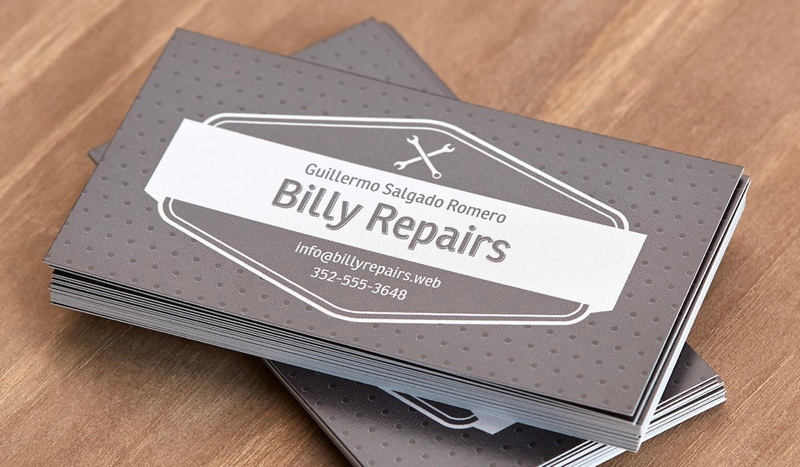
Designing business cards is an essential step in creating a professional image for any business or individual. A well-designed business card not only serves as a personal marketing tool but also reflects the brand identity and professionalism of the person or company it represents. With the advancement of technology, there are numerous platforms available where you can design your business cards easily and efficiently. In this article, we will explore some of the best places to design business cards and provide tips on how to create effective designs.
Platforms for Designing Business Cards
There are several platforms where you can design business cards, each offering unique features and benefits.
Design.com
Design.com is a user-friendly platform that allows you to create beautiful business cards in seconds. You can enter a keyword related to your business, and the site generates relevant designs instantly. It offers thousands of templates, professional designs, and the ability to customize fonts, colors, and layouts. Additionally, you can access high-resolution files suitable for printing and sharing, including vectors like SVG, EPS, and PDF.
Adobe Express
Adobe Express provides a free business card maker that allows you to personalize your cards by mixing and matching fonts, color schemes, adding logos, and more. It offers print options for users in the US and UK. The platform is intuitive and allows for quick creation of professional-looking business cards. Adobe Express also integrates well with other Adobe tools, making it a great choice for those already familiar with the Adobe ecosystem.
Canva
Canva is another popular platform for designing business cards. It offers a wide range of templates and design tools that make it easy to brand your business card with your logo and brand colors. Canva is known for its user-friendly interface and extensive library of fonts and design elements. It also provides collaboration features, allowing multiple team members to work on a design together.
VistaPrint
VistaPrint is renowned for its high-quality printing services and also provides tools for designing business cards. It offers a variety of templates and design options, allowing you to create cards that reflect your brand's personality. VistaPrint emphasizes the importance of choosing the right typeface, size, and shape for your business card. They also offer a range of paper types and finishes, such as matte, glossy, and textured, which can enhance the overall look and feel of your card.
Fiverr
For those who prefer to outsource their design work, Fiverr is a great platform. You can hire a professional designer to create a custom business card design tailored to your specific needs. This option is ideal for businesses that want a unique design without the hassle of creating it themselves.
Tips for Effective Business Card Design
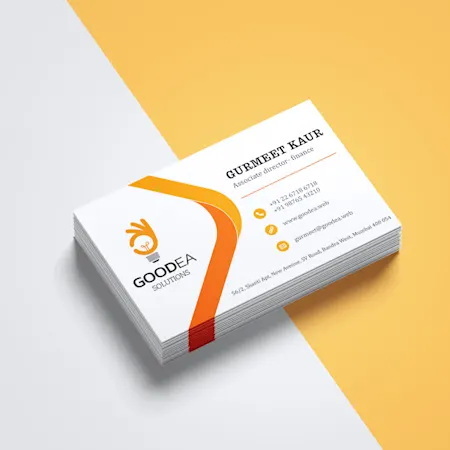
When designing a business card, there are several key considerations to ensure your card is effective and memorable.
Target Your Audience
Your business card should be designed with your target audience in mind. Include elements that resonate with your industry or profession. For example, if you are a carpenter, you might include a photo related to carpentry. This helps establish a connection with potential clients and makes your card more memorable.
Keep It Simple and Readable
Ensure that your business card is easy to read by using simple fonts like Times New Roman or Arial. Avoid clutter by including only the most important information, such as your name, company name, job title, and contact details. A cluttered card can be overwhelming and may deter people from taking a closer look.
Follow Basic Design Guidelines
Use a minimum font size for readability, adhere to the CMYK color model, and ensure images are at least 300 dpi for best reproduction. Keep the main copy at least 5 mm from the edge of the trim to avoid any cutting issues during printing.
Add Visual Interest
Consider adding visual elements like foil accents, glossy coatings, or unique textures to make your card stand out. However, keep the design simple and focused on the essential information. Overly complex designs can detract from the professionalism of your card.
Proof and Test
Always proofread your design and test print it before ordering a large quantity. This helps ensure that the layout and font sizes work well when printed. It's also a good idea to show your design to colleagues or friends for feedback.
Common Mistakes in Business Card Design
Avoiding common mistakes can significantly improve the effectiveness of your business card.
Using Poor Card Stock
Invest in good quality card stock to make a positive impression. Cheap card stock can reflect poorly on your business and may not hold up well over time.
Overcomplicating the Design
Keep your design simple and focused. Avoid cluttering the card with too much information or too many design elements. This can make your card look busy and unprofessional.
Ignoring Industry Norms
Understand your industry's design conventions and follow them where appropriate. This helps your card resonate with your target audience and establishes credibility within your field.
Not Including a Call-to-Action
Consider adding a call-to-action on your business card, such as "Visit our website" or "Follow us on social media." This encourages recipients to engage further with your business.
Not Updating Your Design
Regularly update your business card design to reflect changes in your business or brand. This ensures that your card remains relevant and continues to effectively represent your business.
The Role of Business Cards in Networking
Business cards play a crucial role in networking events. They provide a tangible way to exchange contact information and can serve as a conversation starter. Here are a few tips for using business cards effectively in networking situations:
Be Prepared
Always carry a sufficient number of business cards with you to networking events. Running out of cards can leave a negative impression.
Exchange Cards Politely
When exchanging business cards, do so politely and with a smile. This helps create a positive impression and can lead to meaningful connections.
Follow Up
After receiving someone's business card, consider sending a follow-up email or message to continue the conversation. This helps build relationships and can lead to future collaborations.
Conclusion
Designing business cards is a crucial step in establishing a professional presence for any business or individual. Platforms like Design.com, Adobe Express, Canva, and VistaPrint offer a range of tools and templates to help you create effective business cards. By following design guidelines, targeting your audience, and keeping your design simple and readable, you can create a business card that effectively communicates your brand and helps you connect with potential clients.
Frequently Asked Questions
1. What are the key elements to include on a business card?
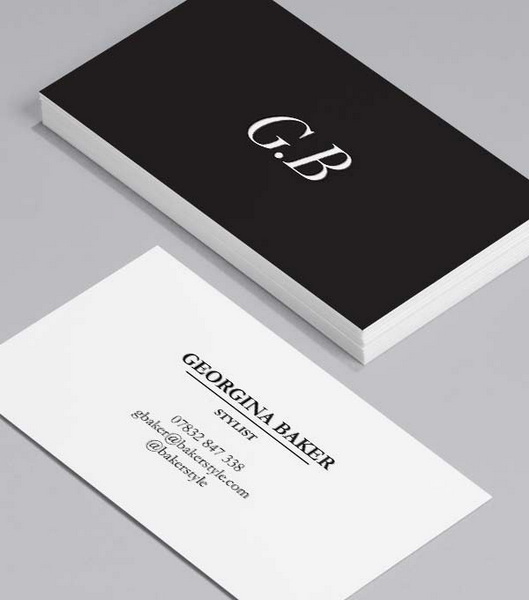
The key elements to include on a business card are your name, company name, job title, contact information (phone number, email address, physical address), and any relevant social media handles. Ensure that the information is concise and easy to read.
2. How do I choose the right font for my business card?
Choose fonts that are easy to read, such as Times New Roman or Arial. Avoid using fonts that are too ornate or difficult to read, especially in small sizes. Consider using a combination of fonts to add visual interest, but ensure they complement each other.
3. What is the standard size for business cards?
The standard size for business cards is typically similar to that of a credit card, which is about 3.5 inches by 2 inches. However, you can choose different sizes or orientations depending on your design needs. Some businesses opt for square or rounded corner cards to stand out.
4. How important is the material of the business card?
The material of the business card is very important. Using high-quality card stock can make a positive impression and reflect well on your business. Avoid cheap card stock as it can be memorable in a negative way. Consider using recycled or eco-friendly materials if your business emphasizes sustainability.
5. Can I add a QR code to my business card?
Yes, adding a QR code to your business card can be very effective. It allows recipients to quickly access your website or other online platforms by scanning the code with their smartphone. This can be especially useful for directing people to your social media profiles or a specific landing page.
Citations:
1. https://www.design.com/business-card-maker
2. https://creativemarket.com/blog/10-commandments-of-business-card-design
3. https://bbs.gter.net/forum.php?mod=viewthread&action=printable&tid=402330
4. https://www.adobe.com/express/create/business-card
5. https://www.indeed.com/career-advice/career-development/business-card-tips
6. https://github.com/jueqingsizhe66/XEmacs.d
7. https://www.canva.com/create/business-cards/
8. https://www.vistaprint.com/hub/business-card-design-rules


